
Early access — pricing locked for your first year
Close the pay period without chasing anyone.
Employees fill in their own time cards. You get one queue showing what’s missing, what changed and what’s ready to approve. Then you close the period and hand off the totals.
No card, no calls. Launching this fall.
Already use Tallyn Time?
Log your hours
This is where you submit your time card. Enter the email address your employer has on file and we’ll send you a sign-in code.
Nothing to install, and no password to remember.
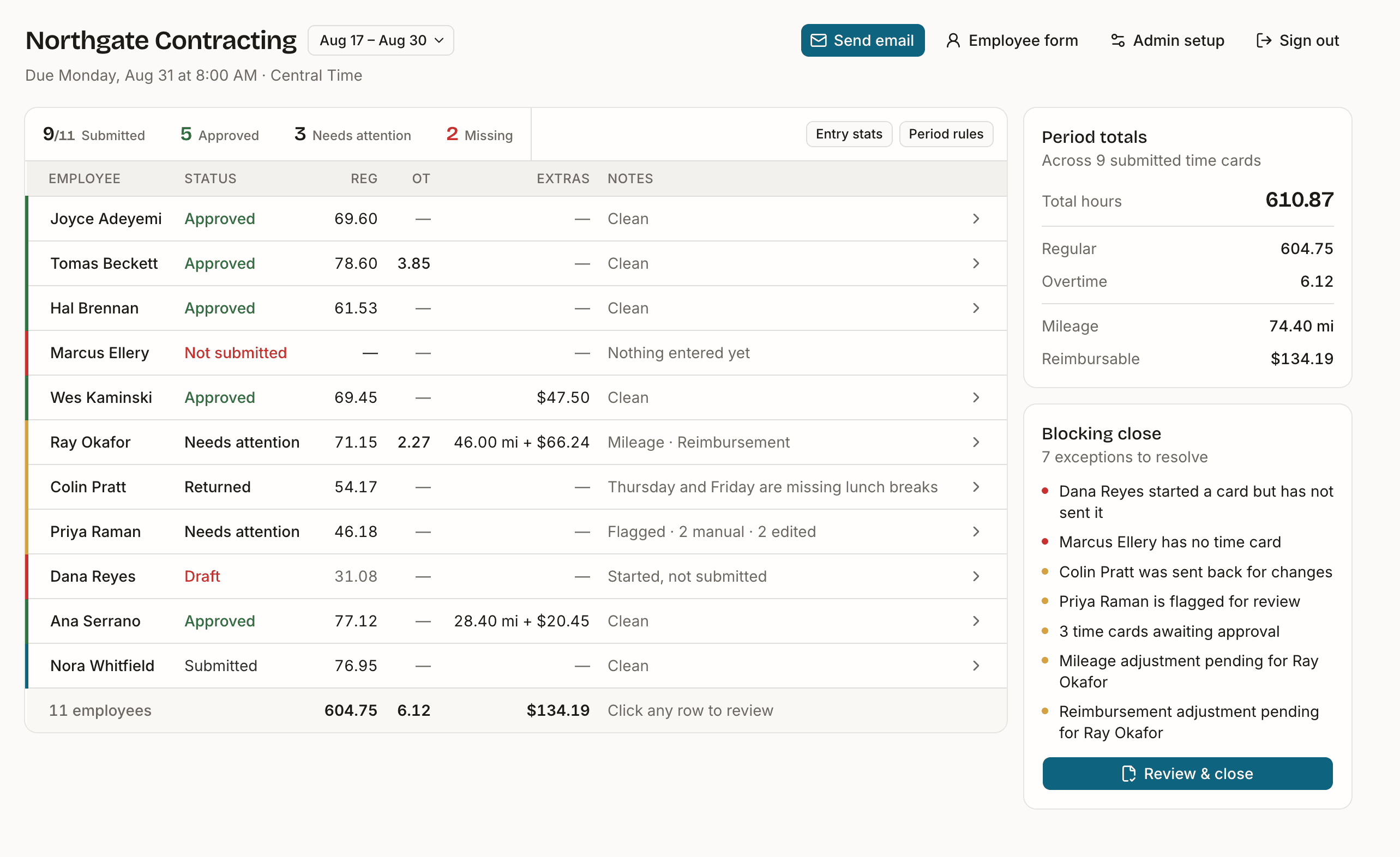
Payday, two ways
Small payrolls tend to run on email attachments and memory. The other option has been an enterprise system priced for an enterprise.
Today
- Hours arrive as texts, spreadsheets and half-remembered numbers.
- You retype it all, and you own every typo.
- Chasing the last person is a calendar reminder to yourself.
- Nobody can say later what was actually worked.
With Tallyn Time
- Everyone fills in their own card, checked as they type it.
- One queue tells you who's missing and what changed.
- Reminders go out from the same page, or on their own.
- You approve, the period closes, and the record stays put.
What closing a period looks like
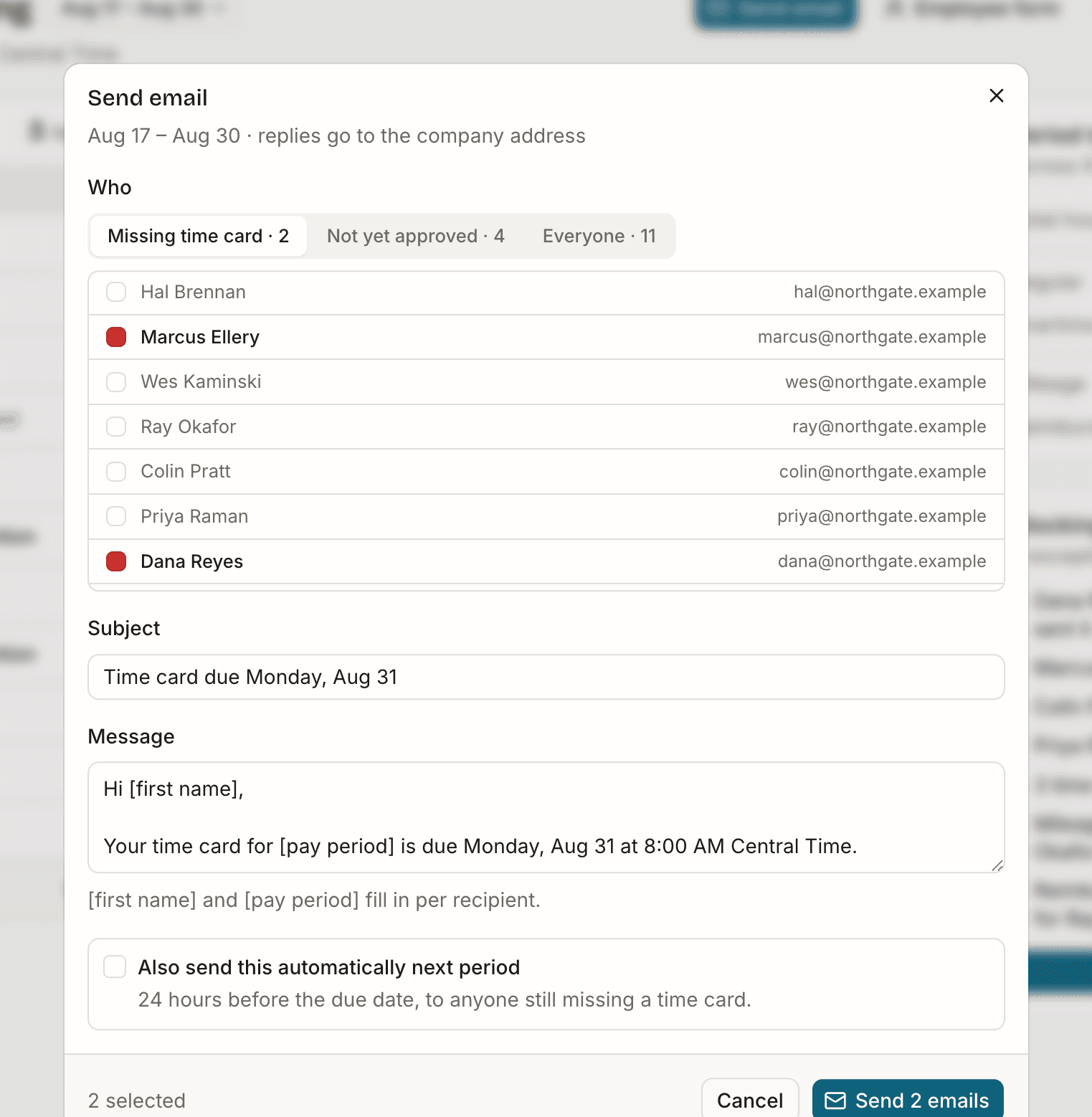
01Chase without chasing
The reminder writes itself
Pick a group and the recipient list fills in from where the period actually stands: missing a card, not yet approved, or everyone. Names and dates merge per person. Turn it on once and it sends itself next period, 24 hours before the due date, to whoever is still missing.
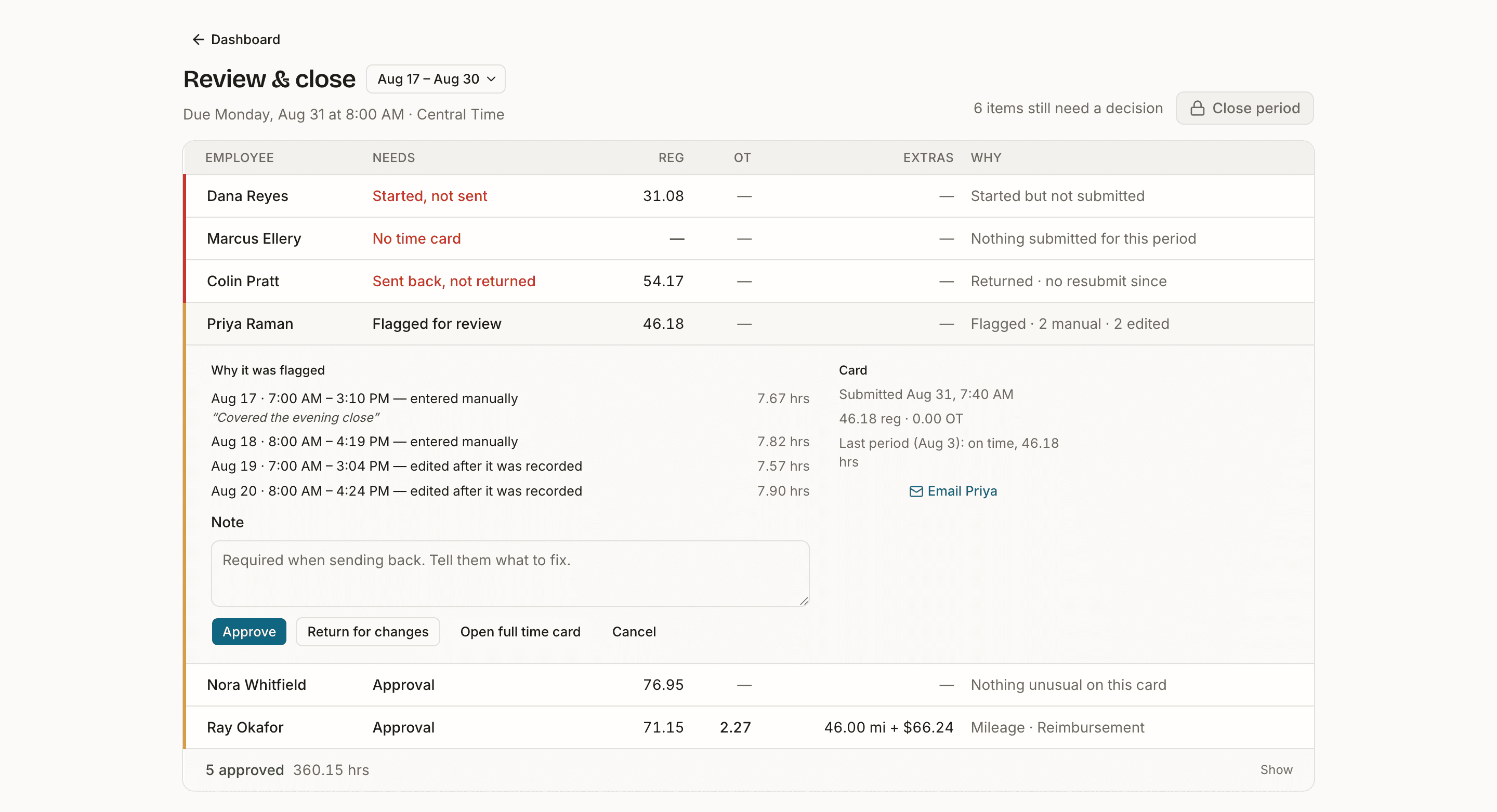
02Review and close
Only what needs a decision
Click a row and it opens in place: what got flagged, the days behind it, and the buttons to approve it or send it back with a reason. For the ones you can't fix, like somebody who never submitted, you record how payroll handled it. Approved cards collapse into a single strip, so the list only ever shows what's left.
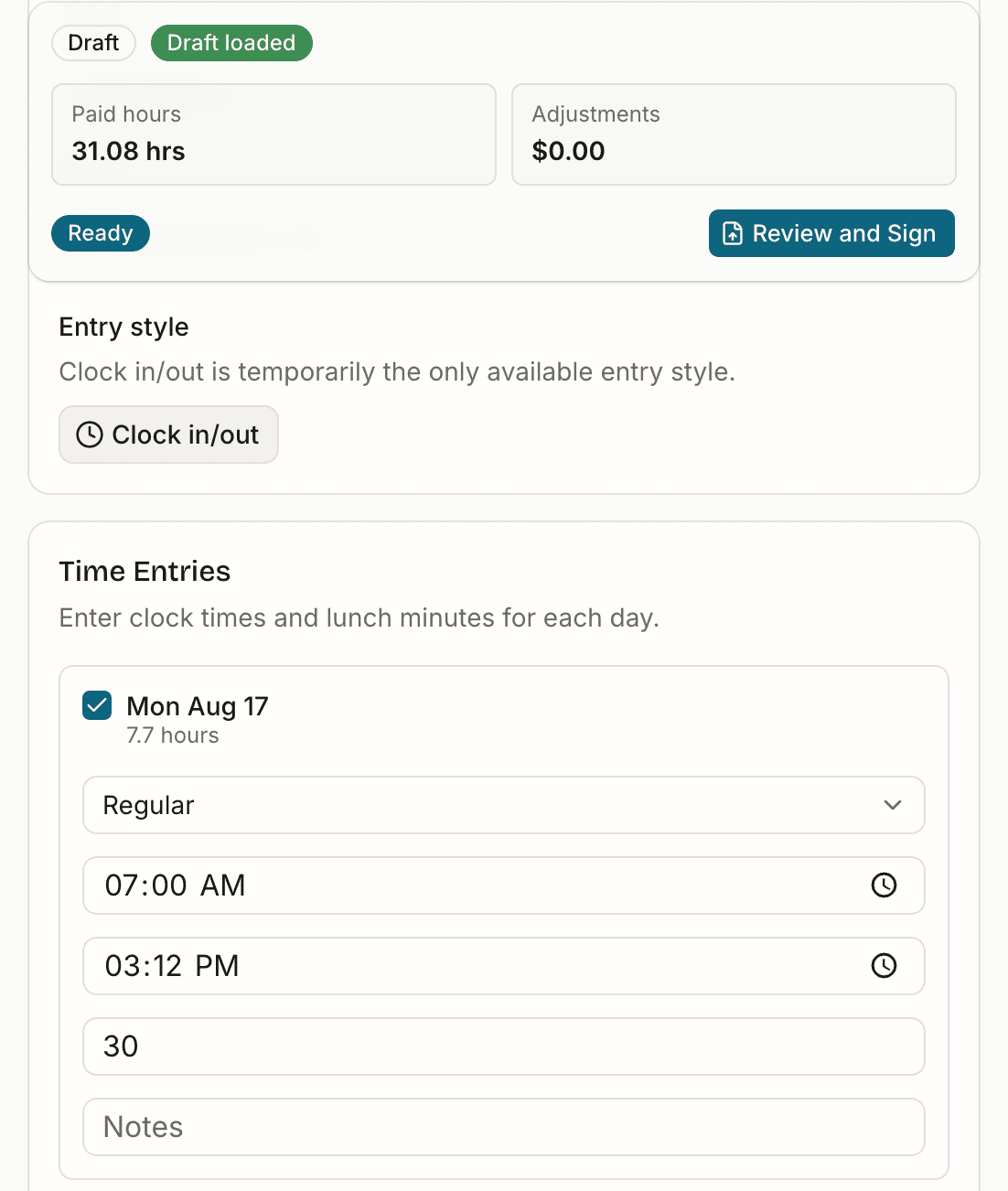
03Where the numbers come from
Employees sign for their own hours
They punch in from a phone browser, or type the times in later. Lunch and overtime rules are checked while they work, so the numbers already add up by the time they reach you. Mileage, bonuses and receipts go on the same card.
For bookkeepers
Period end stops being a hunt
Every client from one login
Switch companies from the period picker. Each one keeps its own employees, rules and closed periods.
Closeout is a checklist
The period lists what's unresolved instead of leaving you to find it. When the list is empty, it closes.
Fewer emails
Reminders go out from the period itself, or run on their own. Questions stay attached to the card they're about.
You can always see what was punched and what was typed
Every entry records how it got there: punched, typed by hand, or filled in for a date already past. Move a punched time later and the card keeps the flag — deleting the day and re-adding it doesn’t wash the punch off. The trail records the change itself, so a flagged card tells you what to look at.
- Tue, Aug 18
- Edited entries
- 8:00 AM
- Clock in recorded by punch
- 4:19 PM
- Clock out recorded by punch
- 9:12 AM
- Clock in changed to 7:45 AM by Priya
- 9:12 AM
- Entry marked edited after it was recorded
One price, no base fee
Built for a payroll of eight rather than eight hundred. Join the waitlist and you keep this rate through your first year.
$4per employee / month
- Unlimited pay periods and time cards
- Punch clock or typed hours, pay codes, notes
- Mileage, bonuses, reimbursements with receipts
- Rules checked before an employee can submit
- Reminder emails, manual or automatic
- Punch source and full revision trail on every entry
- No setup fee, no annual contract
| What | Email & spreadsheets | Tallyn Time | ADP, Gusto, QuickBooks |
|---|---|---|---|
| Monthly cost | Free, paid in your hours | $4 per employee | Included in a higher plan tier |
| Who types the hours | You do | The employee does | The employee does |
| Chasing late cards | You, by text | Automatic reminders | Automatic reminders |
| Closing a period | When you say so | Blocked until exceptions resolve | Approval workflow |
| Proof of hours | Whatever you can find | Punch source and revision trail | Audit log |
| App install | — | None, works in a browser | Usually an app |
Questions
- I'm an employee — where do I log my hours?
- Sign in at the top of this page with the email address your employer has on file. You'll get a six-digit code by email, and land straight on your time card. Once you're signed in, this page will take you there automatically.
- Does Tallyn Time run payroll?
- No. It collects, checks and approves time and extras, then closes the period with totals you hand to whatever you already pay people with.
- How do employees sign in?
- Email address and a six-digit code. The code is good for ten minutes, and their browser remembers them for a while after that. No passwords.
- What if someone never submits?
- They stay at the top of the queue as “no time card” and the period can't close. You can send a reminder from the same page, or record a resolution — deferred to next run, paid outside payroll — so the close is documented rather than fudged.
- What if a card comes in wrong?
- Return it for changes with a reason. It stays in your queue as sent back until they resubmit, so it can't quietly disappear. Once you approve a card it's locked.
- Can my bookkeeper have access?
- Yes. Owner and bookkeeper are separate roles on the same company, and a bookkeeper can switch between all the companies they work with from one login.
- When can I use it?
- We're onboarding a small number of businesses this fall. Waitlist order decides who goes first, and waitlist pricing is locked for your first year.